Cameras that went dark, and footage that was never there
Most of what we get called out to is not a broken camera. It is a dead drive, an overloaded PoE budget in February, water in a connector, or a retention figure that was optimistic on the day it was quoted. We find out which before anyone sells you a new system.
The camera is rarely the thing that failed
When somebody calls about a camera system, the fault is almost never in the camera. In rough order of how often we find them, the causes are: a hard drive at the end of its life, a PoE power budget that was never big enough and collapses the first cold week, water that entered a connector rather than the camera, a retention setting that never matched what was promised, a switch port that has quietly gone bad, and last of all an actual failed camera.
That order matters, because it is the difference between a service call and a proposal for a whole new system. A drive is a couple of hundred dollars and an afternoon. A pixel density problem is a lens change on a ladder. A rip-and-replace quote written without opening the recorder or metering a single port is a sales document.
So the first visit is diagnostic. We look at recorder health and SMART data on every drive, the switch power budget against the actual draw of what is plugged into it, link errors and negotiated speed on each port, the recording schedule and motion masks against what you think they are set to, the time source, the firmware level, and the physical condition of every camera, gland and connector. You get the findings in writing whether or not you hire us for the repair, including the ones that say the previous installer did fine work.
Symptom, most likely cause, what the fix normally is
| What you are seeing | What it usually turns out to be | The realistic fix |
|---|---|---|
| Nothing recorded before a certain date, and the date keeps moving | Either a drive at the end of its life, or retention that was always shorter than the number in the proposal. Both are common; the second is more common. | SMART check, then the storage arithmetic run properly. Replace with surveillance-rated CMR drives sized to the retention you actually need, and get the corrected day count in writing. |
| Cameras drop off and come back, worse in winter | PoE budget exceeded. Heaters energize below freezing, total draw crosses the switch budget, and the switch sheds ports by priority. It looks like a network fault and it is a power fault. | Meter the real draw per device, re-plan the budget with 15 to 20 percent headroom, and either move the heated cameras to a switch with capacity or add one. Occasionally an injector on two cameras solves it. |
| One camera dead, everything else fine | A failed switch port, water that wicked down the cable jacket into an outdoor connector, or physical damage to the run. | Swap the port, open and inspect the gland and connector, ring out the pair. This is frequently a forty-dollar part and half an hour. |
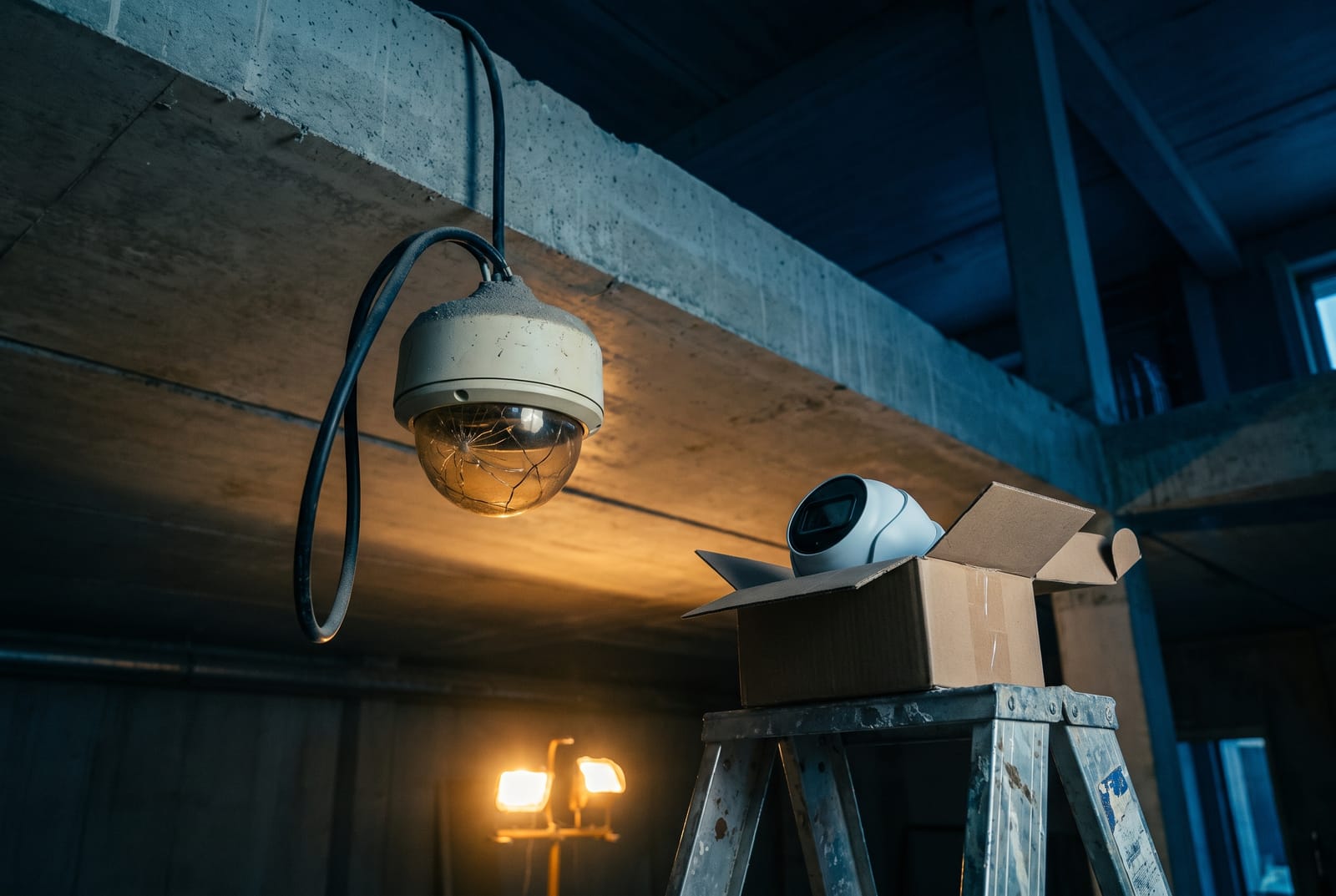
| Fine by day, milky or washed out at night | Infrared bouncing off the inside of a dome bubble, a spider web sitting directly in the IR beam, or a bubble that has hazed and scratched over years. | Clean and reseat the light gasket, replace the bubble, or move that position to a turret housing, which has no bubble for infrared to reflect off in the first place. |
| Picture looks fine, but nobody in it is identifiable | Not a fault. Pixel density on target was too low from the day it was commissioned: a wide lens covering a room instead of a tight lens covering a door. | Re-lens or reposition the camera. This is usually the cheapest item on this entire table and the one that changes the system’s value the most. |
| Exported clips have the wrong time on them | No time source configured on the recorder, drifting by minutes or hours over a year. | Point the recorder at a time source and correct it. Worth doing before you need an export, because a timestamp nobody can vouch for weakens the clip. |
| Rolling bars or interference on legacy coax cameras | A ground potential difference between where the camera is mounted and where the recorder sits, common where a camera is on a separate structure or a different panel. | Ground-loop isolation at the recorder end, or convert that particular run. Chasing it as a video fault wastes days. |
We publish this because most of it is diagnosable by anybody willing to open the recorder and read the switch. If the last quote you were given jumped straight to replacing everything without any of these being checked, that is worth asking about.
Where the missing footage went
Two things account for nearly every case of footage that should have been there and was not.
The drive was never built for this. Surveillance recording is a sustained sequential write from many streams that never stops. Desktop drives are specified for roughly 8 to 10 hours a day of duty; in continuous recorder service they typically develop bad sectors and fail somewhere between six and eighteen months in. Surveillance-grade drives are rated by annual workload (commonly 180 TB per year, up to 360 TB on higher capacities and around 550 TB on the tiers built for heavy analytics) and they implement time-limited error recovery, so a drive struggling with a sector returns an error rather than freezing the array mid-recording. Check that anything quoted is CMR and not SMR; shingled recording behaves badly under this workload.
Or the retention number was never real. Run it yourself: storage (TB) = bitrate (Mbps) × 0.0108 × days × cameras. Sixteen 4K cameras recording continuously at 6 Mbps generate about 1 TB per day, so a recorder holding 4 TB gives you slightly under four days regardless of what the brochure said. If your system is quietly overwriting at eleven days when you were sold thirty, this is almost always why, and no amount of settings changes will fix it. It is a capacity problem. What can fix it inside the existing hardware is tiered retention: keep the entrances and registers long and the general areas short, which typically recovers 30 to 40 percent of system-wide storage.
Two more things worth saying while the recorder is open. On arrays that carry contractually required retention we prefer RAID 6 to RAID 5, because with today’s 16 to 20 TB drives a RAID 5 rebuild runs for many hours or days at full write load while the cameras keep recording, and the array has no protection at all for that entire window. And RAID is not a backup: it does not help against a fire, against somebody carrying the recorder out of the building, or against ransomware, which is the honest argument for keeping an off-site copy of the clips that matter rather than the whole archive.
Moving off an old analog system without gutting the building
If what you have is a DVR and coax cameras, you have three real options and only one of them is a full rewire.
Stay on coax, raise the resolution. Modern HD-over-coax formats carry 4 MP, 5 MP and 4K over the same RG59 that has been in the walls since the nineties. Distance is a genuine advantage rather than a compromise: HD-over-coax comfortably runs several hundred meters where a copper Ethernet channel stops at 100 m total, which matters in a long building, across a yard or out to a gate house. What you give up is on-camera analytics, and any PoE switch infrastructure that a future IP system could have inherited.
Go hybrid and convert in phases. Nearly every current recorder in this family accepts coax and IP channels on the same box and auto-detects the coax format. That means the twelve cameras with impossible cable routes stay on coax while the four that matter most (the entrance, the register, the dock) get new Cat6 and proper IP cameras this year. It is the standard retrofit path in pre-war New York buildings and it spreads the cost over budget cycles instead of concentrating it.
Go fully IP. Right when the cable routes are workable, when you want analytics, or when the building is having other work done and the ceilings are open anyway. The trigger is usually access to the pathway, not the age of the cameras.
What we will not do is quote a full rewire before we have established what is in the walls. In a plaster-on-lath or terra-cotta building, cable route is most of the cost of the job, so an hour spent ringing out the existing runs and checking whether the coax is sound routinely changes the price by more than the entire camera package.
If your cameras are Hikvision or Dahua
Nothing legally requires a private business or building with no federal money to remove working cameras. Existing installations may continue to operate, and if that is your situation you are not in violation of anything.
Two practical things have changed. First, following enforcement activity through late 2025, major online retailers delisted very large numbers of restricted listings, so replacement units and spare parts are increasingly hard to source through compliant US channels, and firmware and manufacturer support are thinning out. Unpatched, unsupported network cameras are a security liability on their own terms, entirely separate from any procurement rule. Second, if any federal money reaches your organization (a federal contract, a subcontract, a GSA schedule, or a federal grant such as a DHS Nonprofit Security Grant, which is very common among New York houses of worship, schools and nonprofits) then NDAA Section 889 Part B attaches to equipment anywhere in your operations, not just to the grant-funded project. That is a genuine deadline rather than a preference.
The good news in either case is that the expensive part of the original job is reusable. Cable routes, PoE switching and mounting points normally carry straight over to replacement cameras, which preserves a large share of what the installation originally cost. We would plan a phased swap across two or three budget cycles, starting with the cameras whose footage you would actually need.
Nobody has the password and the installer stopped answering
This is one of the most common calls we get, and it is not a technical failure. It is a business model. A recorder registered to a contractor’s cloud account, an admin password nobody at the building was ever given, and a cloud tenancy in the installer’s company name mean that adding a camera or pulling a clip requires a service call to a company you may no longer want to use.
What we can usually do: recover or reset the recorder to a state you control, re-register the platform to your organization or your building, document every device with its IP address, credentials, firmware level and physical location, and label the cable at both ends. Where a manufacturer’s reset procedure requires proof of ownership, we will tell you what the manufacturer wants and help you assemble it. Where a device is genuinely locked beyond recovery, we will say so rather than billing hours against a wall.
Then it stays yours. Cloud tenancies get registered with your email as the owner, admin credentials are handed over in writing at completion, and you get the labeled cable map and the as-built list. A building that cannot administer its own recorder does not really control its own footage, and that is a choice somebody made for you, not a limitation of the equipment.
Common questions
Is it worth repairing, or should we just replace the system?
Repair, in most cases, and we will normally try that first. A drive, a power supply, a switch, a connector, a bubble, a lens: these are parts and labor measured in hundreds of dollars against a replacement measured in thousands. A system that is eight years old and working is not automatically a system that needs replacing.
The honest triggers for replacement are narrower than the industry pretends. Replace when the manufacturer is gone and no parts exist. Replace when a camera can never produce identifiable footage from where it is mounted and there is no better mounting point. Replace when the recorder cannot hold the retention you are legally or contractually required to keep and cannot take larger drives. Replace when you are spending more per year in service calls than a new system would amortize to. Anything short of those, we would fix it and tell you roughly how long the rest of the system has.
Our footage from three weeks ago is gone. Can it be recovered?
Usually not, and it is worth understanding why so you can stop it happening again. A recorder overwrites the oldest data continuously; once a segment is overwritten the space has been reused and there is nothing to recover. Specialist forensic recovery from a physically failed drive is occasionally possible and it is expensive, sits with a data-recovery lab rather than with us, and offers no guarantees.
What we can do is establish exactly why the window was shorter than you expected (nearly always either a drive at the end of its life or a retention figure that never matched the camera count and bitrate) and then fix the number for the future. If a matter is likely to become a claim or a case, tell whoever holds the recorder to export and preserve the relevant footage the same day. Systems overwrite on schedule and do not wait for attorneys.
Everything looks fine during the day and is useless at night. What is that?
Four causes, in the order we find them. A spider web or road film sitting directly in the infrared beam, which scatters IR straight back into the lens and washes the whole frame. This is the most common single cause and it is a cleaning item, not a fault. Infrared bouncing off the inside of a dome bubble, usually because the light-seal gasket around the lens has been pinched or reassembled wrong; the permanent cure is a turret housing, which has no bubble at all. A bubble that has hazed, scratched or yellowed over years of weather. Or genuinely inadequate low-light performance for the position.
That last one is a design issue rather than a repair. If the camera has a small sensor packed with pixels, it will always struggle at night, because those pixels are physically smaller and collect less light. A 4 MP camera on a larger sensor beats an 8 MP camera on a small one in a dark corridor. Where the scene simply has no light, the choices are infrared (which costs you color, the single most useful descriptor of a suspect) or a camera with a fast lens and supplemental white light, which keeps color but is visible to everyone. We will tell you which trade you are making rather than quietly picking one.
Can you add cameras to the recorder we already have?
Often, yes, and that is usually the cheapest way to improve a system. The questions are whether the recorder has free channels and free licenses, whether it will accept the resolution and codec of the cameras you want, whether the storage can carry the extra bitrate at your current retention, and whether the switch has both ports and remaining power budget.
That last one catches people. Adding four cameras to a switch that is already close to its power budget will not fail on the bench in October. It will fail the first cold night when heaters energize across every outdoor camera at once and the switch begins shedding ports. We check the budget arithmetic before adding anything, and if the answer is that you need a bigger switch, that goes on the quote with the numbers shown.
Our recorder is reachable from the internet so we can view it remotely. Is that a problem?
Yes, and it is worth fixing regardless of who does the work. Port forwarding puts the recorder’s web and streaming services directly on the public internet, where automated scanners index them within hours of being exposed. Combined with default or hardcoded credentials, which a great many camera models have shipped with, that is the precise mechanism behind the large surveillance-device botnets, and it is why cameras and recorders remain among the most exploited categories of connected device.
The replacement is not complicated: no inbound ports at all, remote access over a client VPN or a manufacturer’s outbound relay, UPnP disabled on both the router and the recorder so nothing opens a port without anyone deciding to, cameras placed on their own network segment with no route to the internet, every default credential changed, and unused services switched off. On most existing systems this is a few hours of configuration rather than new hardware, and it is the single highest-value thing we do on a takeover visit.
Will you work on a system another company installed?
Yes. Most of our camera work is somebody else’s system. We will not, however, quote a repair on hardware we have not looked at, and we will not tell you the previous contractor was incompetent as a sales technique. A lot of what looks like bad work turns out to be a client who was quoted for what they could afford at the time, which is a different thing entirely.
What you get from the first visit is a written condition report: what is installed, where it is, what state it is in, what is failing and what will fail next, what the real retention is, and what it would cost to bring the system to the standard you want, in stages, with the order we would do them in and the reasoning. If the sensible answer is to keep it running for another two years and put the money elsewhere, that is what the report will say.
Work that usually comes with this
Security Camera Installation
New IP camera systems for buildings, storefronts, offices and homes.
Commercial Security Cameras
Retail, restaurant, warehouse and office systems, including NDAA-compliant hardware.
Structured Cabling
Cat6/6A and fibre backbones, racks, patch panels, certified and labelled.
Intercom Repair
Diagnosis and repair of dead handsets, silent panels, buzzers that ring but won't release.
Security Cameras
IP camera systems designed around identification distance and retention, not camera count.
Tell us what the system is doing, or not doing.
Symptoms, roughly how old the system is, and how many cameras. We’ll tell you what it is likely to be before we come out, and put the findings in writing after.
Sun to Thu 9am to 5pm · Fri 9am to 12pm · Sat closed