Cameras that can still identify someone at 40 feet
Most systems record faithfully and fail at the only moment that matters: the clip exists, and nobody in it is identifiable. We design backwards from that, starting with pixel density on target and the storage arithmetic behind the retention number.
Footage is not the same thing as evidence
Nearly every camera system we get called to look at is recording perfectly well. That is not the problem. The problem shows up four months later, when a package theft, a lobby assault or a slip-and-fall claim means somebody has to sit down and export a clip, and the person in the frame is a gray shape thirty feet away with no face, no clothing color anyone would swear to in a deposition, and a plate that reads as four smeared rectangles.
That outcome was decided at design time by one number, and it is not megapixels and it is not camera count. It is pixel density on the target: how many pixels land across each meter of scene width at the distance the subject will actually be.
The standard that governs this is IEC/EN 62676-4. The 2015 edition gave the trade the DORI bands (Detect, Observe, Recognize, Identify) and most installers still quote them. The 2025 edition, in force since 9 October 2025, replaced DORI with a two-group scheme and moved the bar for reliable identification of a person from 250 px/m to 500 px/m, on the finding that 250 fell apart under low light, motion blur and compression. Which is to say, it fell apart under precisely the conditions that produce the incidents you wanted footage of.
If a quote in front of you does not state a distance and a pixel figure for at least the cameras covering your entrances and cash points, it is a parts list, not a design.
What each pixel density band buys you
| Band | Pixel density | What you can honestly claim from the footage |
|---|---|---|
| Detection | 25 px/m, about 8 px/ft | Something human-sized was there. Not who, not what they wore, not which direction they came from with any confidence. |
| Observation | 62.5 px/m, about 19 px/ft | You can track a person across the frame and describe broad behavior. Useful for reconstructing a sequence, useless for naming anyone. |
| Recognition | 125 px/m, about 38 px/ft | You could confirm it is someone you already know by sight. Not enough to identify a stranger. |
| Identification (2015 bar) | 250 px/m, about 76 px/ft | The old identification threshold, and still the number most of this industry designs to. |
| Validate (2025 bar) | 500 px/m, about 152 px/ft | What the current edition of the standard asks for before identification of an unknown person is treated as reliable. |
Figures from IEC/EN 62676-4. The model is anchored to a human face assumed roughly 16 cm across, and it is a simplification: light direction, lens quality, compression and the resolution of the screen you review on all move the real-world result. We design entrances, cash points and chokepoints to the higher bar and accept lower bands only where a camera’s job is genuinely situational awareness.
The two lines of arithmetic that decide the whole job
The scene width a lens covers at a given distance is W = (D × sensor width) / focal length, and the pixel density you land on is simply horizontal resolution / W. Solve the first for focal length and you get the lens you should have specified: f = (D × sensor width) / target width.
Here is what that means on a real wall. A 4 MP camera puts 2,560 pixels across the frame. Point it down a 12 m (40 ft) lobby on the 2.8 mm lens it shipped with, so it covers the full width, and you get 2,560 ÷ 12 = 213 px/m. That is short of even the old identification bar and less than half the current one. Everyone in that lobby is a silhouette with a coat on.
Put the same camera on a 12 mm lens so it covers a 3 m doorway instead and you get 2,560 ÷ 3 = 853 px/m. Now you have a face. The camera did not change. What changed is that we stopped asking one camera to cover a whole room and gave it one job.
That is the whole argument for a system built as a wide camera for context plus a tight camera on each chokepoint (door, register, stair, elevator lobby, dock) rather than four wide cameras in four corners. It also explains why 4K is not automatically the answer. Doubling resolution on the same lens does double pixel density, but it does it by putting smaller photosites on the same piece of silicon, and smaller photosites collect less light. A 4 MP camera on a 1/1.8-inch sensor will beat an 8 MP camera on a 1/2.8-inch sensor in a dark corridor every time. Pick the resolution that hits your pixel target at your distance, then buy the largest sensor that still delivers it.
Backlight is why your entrance camera produces silhouettes
A lobby camera looking out toward a glass storefront in daylight has a bright exterior behind the subject and very little light on their face. Wide dynamic range is the fix, and there is a real line between the two kinds. True WDR captures multiple exposures and fuses them; the accepted threshold to call a camera true WDR is 120 dB. Digital WDR is one exposure with tone mapping applied afterward, typically claiming 90 to 110 dB, and it cannot recover detail the sensor never captured. On anything aimed at a doorway we specify true WDR and put the dB figure on the quote.
The exception is license plate work. Multi-exposure fusion smears a moving plate, so on plate-capture cameras we turn WDR off and control exposure with shutter speed instead (typically 1/500 s as a floor and faster on a roadway), keep the total camera-to-vehicle angle under about 30°, and aim for 100 to 150 pixels across the plate itself rather than across the scene. Note also that plate capture (a readable image a human can use) and plate recognition (an automated text string in a database) are different products at different prices, and vendors are not always careful about which one they are selling you.
Housing, form factor and the ratings that get conflated
Turrets are the default for most fixed positions, because with no bubble there is no infrared bouncing off the inside of a dome, the single most common reason a camera looks fine by day and milky by night. Domes stay where tamper resistance and a low ceiling profile matter. Bullets aim easily and throw infrared far, but the housing is a grab handle and a perch for spiders whose webs sit directly in the IR beam. Multi-sensor units earn their price on building corners and corridor intersections, where one cable and one mount give uniform pixel density across the whole width instead of three cameras arguing about overlap.
Outdoors, two ratings get muddled constantly. IP is ingress: IP66 is dust-tight plus powerful water jets; IP67 adds thirty minutes under a meter of water, which is what an areaway, a sidewalk vault or anything low enough to be hosed actually needs. IK is impact in joules, a separate scale entirely: IK08 is 5 J, IK10 is 20 J and is the top of the standard, so anything sold as IK11 is marketing. An exposed street-level camera in New York wants IP67 and IK10, plus security-pin or Torx hardware.
Storage math you can check against your own quote
One number does most of the work: one megabit per second of continuous video is 10.8 GB per day. Everything else follows from it.
Storage (TB) = bitrate (Mbps) × 0.0108 × days × cameras
Typical bitrates for continuous recording at 15 fps, which is the surveillance sweet spot and roughly half the storage of 30 fps:
- 2 MP / 1080p: about 3 to 4 Mbps on H.264, 1.5 to 2 Mbps on H.265
- 4 MP / 1440p: about 5 to 6 Mbps on H.264, 2.5 to 3 Mbps on H.265
- 8 MP / 4K: about 10 to 16 Mbps on H.264, 5 to 8 Mbps on H.265
Worked example one. Eight 4 MP cameras, H.265, 15 fps, continuous, 30 days of retention: 3 × 0.0108 × 30 × 8 = 7.78 TB of usable space. Add 10 to 15 percent for filesystem and metadata overhead, then remember RAID 5 costs you a whole drive of capacity, and the honest number to put in the recorder is around 10.4 TB raw.
Worked example two, the one that checks a quote. Sixteen 4K cameras on H.265 at 6 Mbps, recording continuously: 6 × 0.0108 × 16 = 1.04 TB per day. A sixteen-channel recorder shipped with a single 4 TB drive therefore holds just under four days. If the proposal in your hand says sixteen 4K cameras, 4 TB and thirty days, that arithmetic is the entire rebuttal, and you did not need us to make it.
Codecs, and what the savings really are
H.265 delivers roughly equivalent perceived quality at 30 to 50 percent lower bitrate than H.264, commonly cited around 45 percent. Smart codecs on top of that (the vendor variants with a plus sign after the name, and their equivalents from the European and Korean manufacturers) add long-term reference frames, dynamic group-of-pictures length and region-based quantization, and save a further 30 to 70 percent in a scene that is mostly static.
The part nobody tells you: stretching the I-frame interval is exactly what makes frame-accurate export and forensic seeking less precise, and some smart-codec streams are not fully standards-compliant and will not decode correctly in a third-party video management system or a browser player. On the cameras that are likely to end up attached to a subpoena we leave standard H.265 running and take the storage hit. On the ones watching an empty corridor, we turn the smart codec on. That is a per-camera decision, and it belongs on the quote.
The other levers, with the savings they actually deliver: motion-only recording on low-traffic areas around 83 percent, business-hours-only scheduling 40 to 50 percent, variable bitrate instead of constant 30 to 50 percent, and tiered retention (90 days on entrances and registers, 30 days on general areas) typically 30 to 40 percent system-wide. Tiered retention is usually the cheapest thing on this list and almost nobody offers it unprompted.
And the drives have to be built for it
Surveillance recording is a sustained sequential write from many streams that never stops. Desktop drives are specified for roughly 8 to 10 hours a day of duty and in continuous recorder service typically fail between six and eighteen months in, usually discovered on the day you needed the footage. Surveillance-grade drives are rated by annual workload (commonly 180 TB a year, more on higher capacities) and return an error rather than hanging the array during a recovery attempt. Check that anything quoted is CMR, not SMR. On arrays carrying required retention we default to RAID 6, because a RAID 5 rebuild on a 16 to 20 TB drive runs for hours or days at full write load with no protection for that entire window. And RAID is not backup: it does nothing about a fire, a stolen recorder or ransomware.
The infrastructure that quietly decides whether it works in February
Cameras are the visible part. These are the things that make a system either boring for ten years or intermittent for ten years.
- Port count is not power budget. 802.3af delivers 12.95 W to the device, 802.3at 25.5 W, 802.3bt Type 3 51 W and Type 4 71.3 W. A 24-port switch with a 180 W budget runs about thirteen basic cameras, not twenty-four, and nothing like twenty-four bullets with heaters, which pull PoE+ or better the first cold morning. We size from actual draw plus 15 to 20 percent headroom, which is why our quote sometimes has a larger switch on it than the one you were shown.
- 100 meters is the channel, not the cable. Ninety meters of horizontal run plus 10 m of patch cords at both ends. Long yard, dock or gate-house runs go on fiber, and we would rather add a fiber leg at design time than have you chase an intermittent camera across a 130 m run for three years.
- Cat6 or Cat6A in dense high-power bundles. Running 60 to 90 W down four pairs heats the middle of a tight bundle; larger conductors shed heat better and de-rate less. Copper-clad aluminum never goes on any job of ours: it fails PoE current handling and it is not listed for the application.
- Cameras get their own VLAN. Segmented from the business network, with rules that let them reach the recorder and a time source and nothing else, no route out to the internet, and never on VLAN 1 because that is the first place anybody looks.
- No port forwarding, ever. A recorder exposed directly to the internet is indexed by scanners within hours, and default camera credentials are the mechanism behind the large surveillance botnets. Remote viewing goes over a VPN or an outbound relay, UPnP is switched off on router and recorder, and unused services are disabled.
- Every credential is issued in your name. Admin accounts, cloud tenancy and the recorder password belong to the building or the business, handed over in writing at completion. A camera system whose passwords only the installer holds is not your camera system.
Where a camera is illegal in New York, and the microphone that is a felony
NY General Business Law §395-b makes it an offense to install, or to knowingly permit, a camera or other viewing device that surreptitiously observes the interior of a fitting room, restroom, toilet, bathroom, washroom, shower, or a guest room in a hotel, motel or inn. Each device is a separate and distinct violation. The one narrow exception is fitting rooms where conspicuous written notice is posted at the entrance. In a city of a million or more people, which means New York City, that notice must be in both English and Spanish.
NY Labor Law §203-c separately bars an employer from causing a video recording to be made of an employee in a restroom, locker room, or a room designated for employees to change clothes. Recordings made in violation may not be used for any purpose, and the section carries a private right of action with damages and attorney fees.
Audio is where people get caught. New York is a one-party consent state: if you are a participant in a conversation, you may record it. An unattended camera microphone in a hallway is a participant in nothing. It is recording a conversation between two other people with no party consenting (mechanical overhearing by a person not present), and under Penal Law §250.05 eavesdropping is a class E felony. We ship camera audio disabled by default and only enable it where there is a participating party or posted consent that your counsel has reviewed.
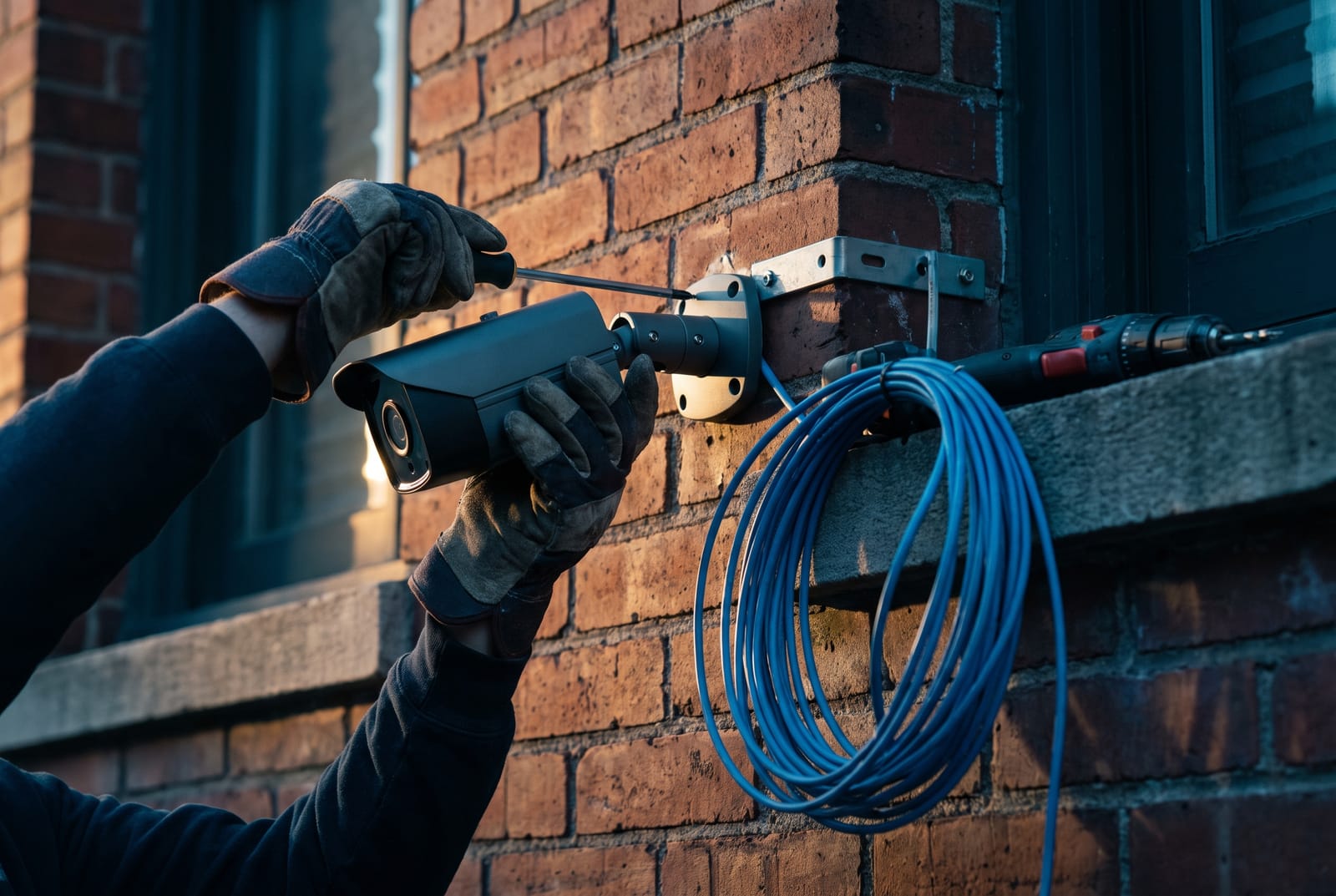
The cable route is the job. The camera is an afternoon.
Pre-war plaster is applied over wood or wire lath and it does not fish; terra-cotta block partitions do not fish either, and drilling them carelessly cracks the face on the other side. Post-war concrete means core drilling and coordination with the building about what is in the slab. Cast-iron and landmarked facades usually rule out surface raceway, and anything visible on the exterior in a historic district goes through Landmarks review before it goes anywhere else.
Then the layer that has nothing to do with cable: a certificate of insurance naming the building, the managing agent and the owner, often at $2M to $5M limits; an alteration agreement; freight-elevator booking; and restrictions on when drilling can happen at all in an occupied building. None of it is technical and all of it is schedule, so it goes in the scope document rather than surfacing in week two.
On cost, installed cameras in New York City commonly land between $500 and $2,500 each all-in, and the spread is driven by cable route, firestopping, switch capacity and storage far more than by the camera. Four to six cameras on a storefront typically runs $2,500 to $6,000; eight to sixteen in commercial space typically $6,000 to $18,000. Typical ranges, subject to survey. We do not price a building nobody has walked.
Common questions
How many cameras do I actually need?
Fewer than most quotes show, placed better. Start by listing the chokepoints: every door a person can enter or leave by, the register or cash drawer, the stair and elevator lobby, the loading dock, the mailroom, the alley gate. Those get tight cameras designed to hit an identification-grade pixel density at the distance people actually pass. Then add the smallest number of wide cameras needed to link those events into a sequence.
The alternative approach (buy twelve cameras and put one in every corner) produces twelve views of the same unidentifiable person. Coverage percentage is a comforting metric that has never once been useful in an investigation. Pixel density at the door is the one that gets asked about.
Is 4K worth the money, or is it a sales upsell?
It depends entirely on the distance you are trying to cover with one camera. 4K puts 3,840 pixels across the frame against 2,560 for 4 MP, so on the same lens it buys you 50 percent more pixel density, genuinely useful on a wide parking lot, a warehouse aisle or a long facade where you cannot add more mounting points.
What it costs you is light. Those extra pixels are physically smaller photosites on the same sensor, so a 4K camera on a small sensor is measurably worse at night than a 4 MP camera on a bigger one, and night is when most of the incidents happen. It also roughly doubles bitrate and therefore storage. Our rule is straightforward: choose the resolution that hits your pixel target at your distance, then buy the largest sensor available at that resolution. If the answer is that a tighter lens on a 4 MP camera does the same job, that is what goes on the quote.
How do I check whether the retention I was promised is real?
Multiply the per-camera bitrate in megabits per second by 0.0108, then by the number of days, then by the number of cameras. That gives you usable terabytes. Add 10 to 15 percent for overhead, and if the recorder uses RAID 5 add one whole drive on top, or two for RAID 6.
If the quote does not state a bitrate, ask for it. If you are told it does not matter, that answer is the finding. A sixteen-camera 4K system recording continuously at 6 Mbps generates about 1 TB per day, so a 4 TB recorder gives you roughly four days no matter what the brochure says. Where the budget genuinely will not carry the retention, the honest fix is tiered retention: 90 days on the entrances and registers, 30 days on the general areas, which typically cuts total storage 30 to 40 percent.
Can I watch the cameras on my phone without opening ports on the router?
Yes, and you should insist on it. Port forwarding puts the recorder’s web and streaming services directly on the public internet, where automated scanners index them within hours. Combined with default credentials, that is the exact mechanism behind the large surveillance-device botnets, and it is why cameras remain one of the most exploited classes of connected device.
The alternatives are a client VPN into the building network, a site-to-site tunnel if you have multiple properties, or a manufacturer’s outbound relay service where the recorder makes the connection out and nothing is exposed inbound. The relay option is fine for a homeowner and generally the wrong choice for a law office, a medical practice, a school or anyone holding a federal contract, because stream brokering and key management sit with a third party. We will tell you which category you are in and set it up accordingly, and either way UPnP goes off on the router.
Can our building put cameras in the hallways, and does anyone have to be told?
Common areas of a residential building (lobbies, hallways, stairs, laundry rooms, package rooms, garages, exterior grounds) are ordinarily fair game, and New York has no general statute requiring notice signage for a private camera system. The hard limits are the specific places named in GBL §395-b and Labor Law §203-c: no bathrooms, no locker or changing rooms, no fitting rooms without the posted bilingual notice, no hotel guest rooms.
What does often bind you is your own paperwork rather than a statute. Co-op and condo governing documents, house rules and some leases have their own notice, retention and access provisions, and boards frequently want a written footage-access policy before they approve the work: who may view, who may export, how long clips are held and what happens when a shareholder asks for one. We will build the system to whatever policy you adopt; adopting one is a conversation for your counsel and your board, not for your camera installer.
There is already coax in the building. Do you have to run new cable?
Often not, and in a pre-war building that answer can change the price of the job by more than the cameras cost. Modern HD-over-coax formats carry 4 MP, 5 MP and even 4K over the same RG59 that used to carry a fuzzy analog picture, and virtually every current recorder in that family auto-detects the format and will also take IP channels on the same box, so you can convert in phases rather than all at once.
Coax also beats Ethernet badly on distance: HD-over-coax comfortably reaches several hundred meters against 100 m for a copper Ethernet channel, which matters in a long building or across a yard. The trade-offs are real and we will say them plainly: limited on-camera analytics, no PoE switch infrastructure you can reuse later, and a ceiling on where the system can go. Where the existing coax is sound and the routes are brutal, reusing it is usually the right engineering call. Where you are going to want analytics and network cameras within three years, it is deferred cost.
Work that usually comes with this
Commercial Security Cameras
Retail, restaurant, warehouse and office systems, including NDAA-compliant hardware.
Security Camera Repair & Upgrades
Systems that stopped recording, cameras that went dark, analogue-to-IP migration.
Structured Cabling
Cat6/6A and fibre backbones, racks, patch panels, certified and labelled.
WiFi & Access Point Installation
Commercial wireless and building-wide coverage that survives brick and lath walls.
Security Cameras
IP camera systems designed around identification distance and retention, not camera count.
Tell us the distance, and we’ll tell you the lens.
Send the addresses, the doors that matter and how far back the camera has to sit. You’ll get pixel figures, a retention number with the arithmetic shown, and a written price.
Sun to Thu 9am to 5pm · Fri 9am to 12pm · Sat closed